
Introduction: Is Your NetSuite Environment Ready for SuiteScript 2.1?
Businesses rely on Oracle NetSuite to manage financial operations, inventory, sales, customer relationships, and other essential business processes. Custom scripts extend NetSuite’s standard functionality, automate repetitive tasks, and enable integrations with external applications.
However, legacy scripts can introduce compatibility challenges, increase maintenance efforts, and make future enhancements more complex. Upgrading to SuiteScript 2.1 provides an opportunity to modernize existing customizations and adopt contemporary JavaScript development practices.
NetSuite SuiteScript 2.1 migration helps businesses modernize their ERP customizations, improve code maintainability, and prepare their scripting environment for ongoing compatibility requirements.
Dynasoft Cloud helps organizations assess existing NetSuite scripts, identify potential compatibility issues, and implement migration strategies tailored to their business requirements.
What Is NetSuite SuiteScript 2.1?
NetSuite SuiteScript is a JavaScript-based scripting technology that allows developers to customize and extend Oracle NetSuite ERP.
It enables businesses to automate processes, implement custom business rules, manage records, create tailored user experiences, and connect NetSuite with other business applications.
SuiteScript 2.1 supports modern JavaScript language features and provides developers with additional options for writing structured, maintainable code.
Key capabilities include:
| Modern JavaScript syntax | Use features such as arrow functions, template literals, destructuring, and spread syntax where supported. |
| Modular development | Organize code into reusable modules for easier maintenance. |
| Business process automation | Support custom logic for record processing, scheduled tasks, and operational workflows. |
| NetSuite customization | Extend standard ERP functionality to meet specific business requirements. |
| Integration development | Build custom solutions that facilitate data exchange between NetSuite and compatible external applications. |
By adopting SuiteScript 2.1, businesses can establish a more modern foundation for developing and maintaining their NetSuite customizations.
Why Should Businesses Migrate to SuiteScript 2.1?
1. Improve Script Compatibility
Maintaining compatibility with NetSuite’s supported scripting standards is essential for businesses that depend on custom ERP functionality.
Legacy SuiteScript versions may require updates to align with current platform requirements. Reviewing existing scripts helps organizations identify outdated version annotations, unsupported language features, and dependencies that may need attention.
A structured migration approach allows businesses to address these issues while maintaining essential operational functionality.
2. Adopt Modern JavaScript Development
SuiteScript 2.1 supports modern JavaScript features that can make custom scripts easier to write, read, and maintain.
Developers can use features such as:
- Arrow functions for concise function expressions.
letandconstfor block-scoped variable declarations.- Template literals for readable string construction.
- Destructuring to extract values from objects and arrays.
- Spread syntax to work with iterable values and object properties.
These capabilities can simplify code and improve readability when applied appropriately.
The specific features available should always be evaluated against the supported runtime and requirements of the relevant script type.
3. Simplify Code Maintenance
As businesses grow, their NetSuite environments often accumulate custom scripts developed by different teams or implementation partners.
Over time, duplicated logic, inconsistent coding practices, and limited documentation can make these customizations difficult to manage.
Migrating to SuiteScript 2.1 provides an opportunity to review existing code, consolidate repetitive functionality, improve module organization, and document important dependencies.
Better-organized code can simplify troubleshooting and make future enhancements more manageable.
4. Support More Efficient Development
Modern JavaScript syntax and modular development practices can help developers express business logic more clearly and reduce unnecessary complexity.
A well-planned migration also encourages teams to review script execution, governance usage, record processing, and integration logic.
Although upgrading does not automatically guarantee faster execution, reviewing these areas can reveal opportunities to improve implementation efficiency and reliability.
5. Strengthen Security and Reliability Practices
Reliable NetSuite customizations depend on more than the scripting version alone.
Developers should review permissions, input validation, error handling, external integrations, and access to sensitive business records as part of the migration process.
Testing scripts in a suitable non-production environment also helps identify unexpected behavior before changes are deployed to live operations.
Together, these practices support a more maintainable and dependable ERP environment.
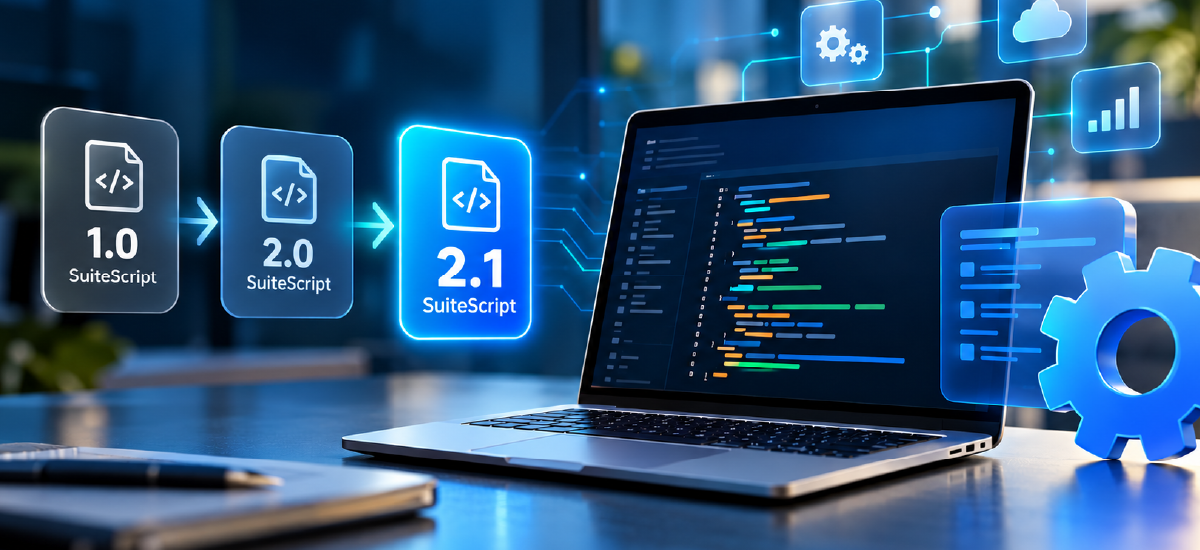
SuiteScript 1.0 vs. SuiteScript 2.0 vs. SuiteScript 2.1
Understanding the differences between SuiteScript versions helps businesses evaluate their existing customizations and determine the appropriate migration strategy.
| Feature | SuiteScript 1.0 | SuiteScript 2.0 | SuiteScript 2.1 |
|---|---|---|---|
| Development approach | Legacy scripting API | Modular API architecture | Modular API architecture |
| JavaScript capabilities | Older JavaScript patterns | ECMAScript 5.1-based | Modern ECMAScript capabilities |
| Code organization | Legacy API patterns | Structured modules | Structured modules with modern syntax |
| Maintenance considerations | May require substantial modernization | Review language and compatibility requirements | Supports modern development practices |
| Migration considerations | Assess APIs and dependencies | Assess runtime and language compatibility | Validate supported features and behavior |
SuiteScript 2.0 and 2.1 share much of the same API architecture, but SuiteScript 2.1 offers additional JavaScript language capabilities.
The amount of work required for migration depends on the existing code, APIs, libraries, script types, and execution contexts. Not every script requires a complete rewrite, and changing the version annotation alone does not guarantee compatibility.
Which NetSuite Scripts Should You Review?
A comprehensive migration assessment should consider the different script types and custom components used throughout your NetSuite environment.
| User Event Scripts | User Event Scripts respond to record-related events and can support data validation, field updates, and custom business rules. |
| Client Scripts | Client Scripts enhance supported user-interface interactions and help validate data during user activities. Their execution context and supported language features should be considered during migration. |
| Scheduled Scripts | Scheduled Scripts automate recurring operations, including record processing, data updates, and other background tasks. |
| Map/Reduce Scripts | Map/Reduce Scripts support large-scale data processing through structured processing stages that can handle substantial workloads. |
| Suitelets and RESTlets | Suitelets enable custom NetSuite interfaces, while RESTlets support programmatic interactions and integrations with external applications. |
| Custom Workflow Actions and Shared Libraries | Custom workflow actions and reusable script libraries may contain dependencies that affect multiple business processes. Reviewing these components helps identify potential issues across the broader customization environment. |
How to Migrate NetSuite Scripts to SuiteScript 2.1
A structured migration process helps reduce technical risk and protect essential business operations.
| Step 1: Audit Existing Scripts | Identify existing SuiteScript versions, deployed scripts, shared libraries, and related customizations. Review available source code, deployment settings, documentation, and dependencies to establish a clear picture of your current environment. |
| Step 2: Prioritize Business-Critical Customizations | Identify scripts that support essential business processes, such as financial transactions, inventory management, order processing, reporting, and integrations. Prioritize migration activities according to business impact, complexity, and dependency relationships. |
| Step 3: Assess Compatibility Requirements | Review script APIs, language features, third-party libraries, runtime assumptions, and interactions with other customizations. Consider the specific requirements of server-side and client-side scripts rather than applying a single migration approach to every component. |
| Step 4: Update and Modernize Code | Update version annotations and refactor code where required to support SuiteScript 2.1. Depending on the script, this may involve modernizing JavaScript syntax, reviewing module dependencies, addressing runtime differences, or rewriting legacy API calls. |
| Step 5: Test in a Sandbox Environment | Validate updated scripts in a suitable non-production environment before deploying them to production. Test important business scenarios, including record creation, field updates, workflows, integration responses, error handling, permissions, and script governance. |
| Step 6: Plan Deployment Carefully | Follow an appropriate release process, maintain version-controlled source code, document changes, and establish a recovery or rollback procedure. After deployment, review execution logs and monitor critical business processes for unexpected behavior. |
| Step 7: Maintain Updated Documentation | Document script ownership, dependencies, testing procedures, and deployment practices. Regular reviews help businesses maintain their customizations and make future development more predictable. |
How Dynasoft Cloud Can Help with SuiteScript 2.1 Migration
Dynasoft Cloud is an Oracle NetSuite Alliance Partner providing NetSuite implementation, customization, and integration services.
Our team helps businesses assess their existing NetSuite environments, modernize custom functionality, and develop migration strategies that align with their technical requirements and operational priorities.
Our services include but not limited to:
| SuiteScript assessment | Compatibility analysis | Script modernization | Testing and validation | Integration support | Deployment planning |
| Review existing scripts and identify potential migration requirements. | Evaluate APIs, language features, dependencies, and execution contexts. | Refactor or update code to support SuiteScript 2.1 where required. | Verify custom functionality and essential business processes before deployment. | Review scripts supporting connections between NetSuite and external applications. | Assist with testing, documentation, release procedures, and post-deployment reviews. |
Whether your business relies on a heavily customized NetSuite ERP environment or uses scripts to support specific operational processes, Dynasoft Cloud can help you plan and manage your SuiteScript migration.
Frequently Asked Questions (FAQs)
What is NetSuite SuiteScript 2.1?
NetSuite SuiteScript 2.1 is a JavaScript-based scripting version that supports modern ECMAScript features and enables developers to customize and extend NetSuite ERP functionality.
Why should businesses migrate to SuiteScript 2.1?
Migration helps businesses address scripting compatibility requirements, adopt modern JavaScript development practices, improve code maintainability, and review existing customizations.
What is the difference between SuiteScript 2.0 and 2.1?
Both versions use the modular SuiteScript API architecture. SuiteScript 2.1 adds support for newer JavaScript language features, enabling developers to use more modern coding patterns where supported.
Does SuiteScript 2.1 migration require rewriting every script?
No. The migration effort depends on the existing script version, APIs, dependencies, code structure, and execution context. Some scripts may need only targeted changes, while others require more extensive refactoring.
Can SuiteScript 2.1 improve NetSuite performance?
Modern development practices can create opportunities for more efficient code, but performance improvements are not guaranteed. Actual results depend on script design, workload, API usage, and runtime behavior.
Should SuiteScript 2.1 scripts be tested before deployment?
Yes. Testing in a sandbox or other suitable non-production environment helps identify compatibility issues and validate critical business processes before production deployment.
Can Dynasoft Cloud help with SuiteScript 2.1 migration?
Yes. Dynasoft Cloud provides NetSuite customization and integration services and can assist with script assessments, compatibility reviews, migration planning, code modernization, and testing.